
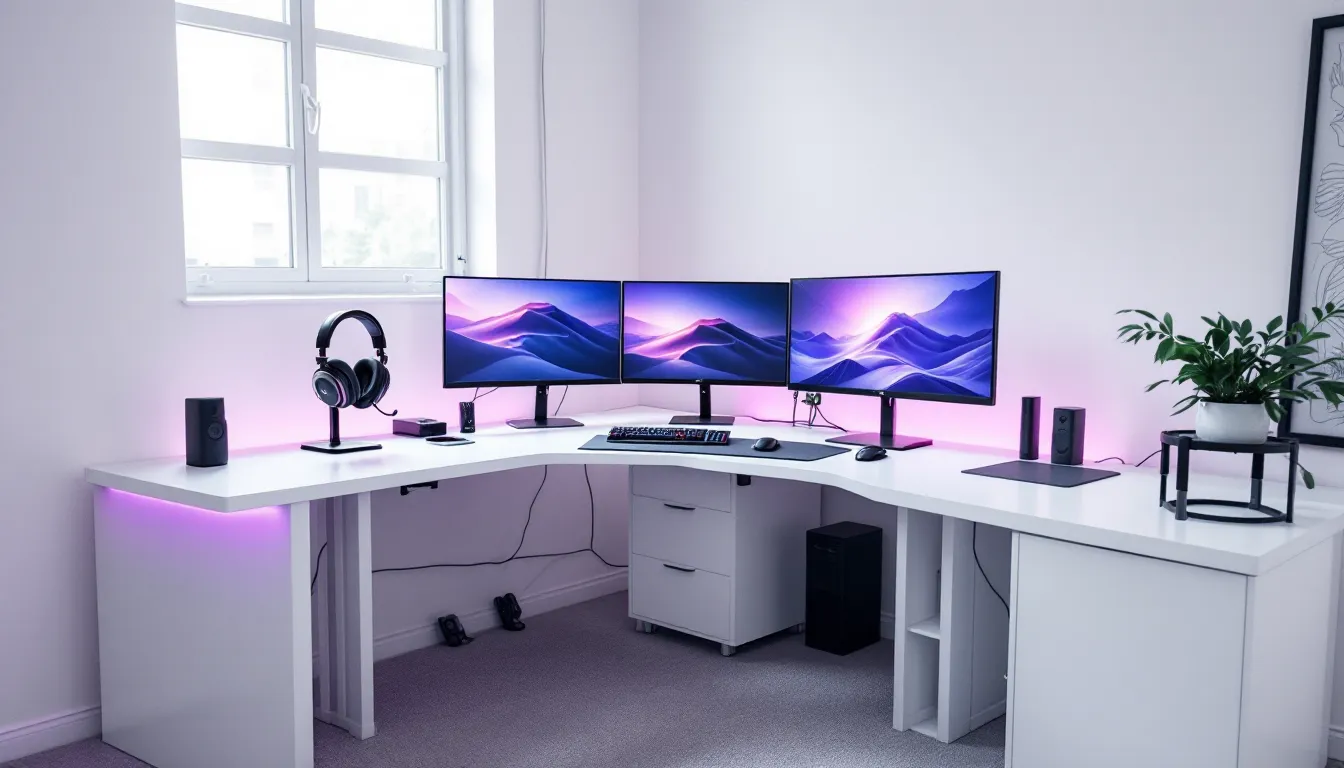
A white L-shaped gaming desk isn’t just furniture, it’s the foundation of your competitive setup. Whether you’re grinding ranked matches, streaming to thousands, or just trying to squeeze more monitor real estate into a tight space, the right desk matters. The L-shape gives you room to breathe: one arm for your primary monitor and peripherals, the other for a secondary display, streaming equipment, or just breathing room. White desks have become the go-to choice for modern gaming builds because they’re versatile, clean, and photograph well, but not all L-shaped gaming desks are created equal. This guide breaks down what separates a desk that’ll last five years from one that’ll wobble under the weight of your mechanical keyboard after six months.
Key Takeaways
- A white L-shaped gaming desk provides 50–100+ square feet of workspace with distinct zones for monitors, peripherals, and streaming equipment, reducing head turns during competitive play.
- Quality matters: press the desk center with moderate force to test for flex—premium desks have less than 0.5″ deflection, while budget models may flex 1–2″, directly affecting stability during gaming.
- Electric height-adjustable white L-shaped gaming desks with memory presets ($600+) offer superior ergonomics and flexibility compared to static desks, reducing long-term health issues like back and neck strain.
- Proper cable management with built-in trays, grommets, and black or gray cable sleeves transforms a cluttered setup into a professional-looking white desk that performs better on stream.
- Material choice impacts durability: MDF with white coating offers the best balance for most gamers, while solid wood ($1,500+) provides premium longevity and moisture resistance in humid climates.
- White desks require weekly cleaning and immediate attention to spills to prevent staining, plus UV protection near windows and positioning away from heat vents to avoid yellowing over time.
Why White L-Shaped Desks Are Ideal for Gaming Setups
The L-shaped footprint solves a real problem: most gamers need more space than a traditional rectangle offers, but fewer need a massive single surface. An L-shaped desk typically gives you 50-100+ square feet of working space depending on configuration, with distinct zones for different tasks.
The gaming-specific advantages are tangible. Your primary monitor sits at the corner junction for optimal sightlines, while a secondary display, laptop, or console fits naturally on the perpendicular section. This setup reduces head turning during competitive play, critical for titles like Counter-Strike 2 or Valorant where milliseconds count. The extra depth also means you can position your monitor further back for better posture and reduce eye strain during long sessions.
White is the practical choice here. It reflects light efficiently (reducing heat buildup from RGB lighting), matches almost any aesthetic from minimalist to cyberpunk, and makes your setup pop in stream clips or YouTube videos. It also shows dust, which keeps you cleaning your desk regularly, a small quality-of-life win. Unlike black desks that show every fingerprint and spill, white surfaces are forgiving and age gracefully if treated properly.
Beyond ergonomics, the L-shape psychology matters. Gamers perform better when their setup feels intentional and organized. The corner creates natural boundaries between “focus zones” and “utility zones,” which helps with concentration during long sessions.
Key Features To Look For in a White L-Shaped Gaming Desk
Surface Area and Layout Options
Size matters, but so does proportionality. Most quality L-shaped gaming desks come in configurations like 55″ × 55″ or 60″ × 60″ (per side), but some extend to 70″ × 70″ or larger. If you’re mounting multiple monitors, streaming equipment, and keeping a console within arm’s reach, you’ll want at least 55″ on each axis.
Layout flexibility is underrated. Look for desks with adjustable corner placement, some models let you position the junction at different points rather than forcing you into a fixed L. This matters if your room’s layout is unconventional. Also consider whether you need hutches, shelves, or integrated cable trays. Some desks offer modular add-ons: others are fixed. Modular is better long-term because your setup will change.
The depth of each arm matters too. A shallow 20″ deep desk feels cramped once monitors, speakers, and peripherals are in place. Aim for at least 24-28″ if you plan to mount your monitor on an articulating arm, or 30″+ if you prefer a desk mount.
Build Quality and Material Durability
White finishes on gaming desks typically use three materials: laminate, MDF with white coating, or solid wood. Each has trade-offs.
Laminate is budget-friendly and durable against scratches, but the white surface can yellow under UV light if your gaming cave has windows. It’s also harder to repair if the laminate peels.
MDF (medium-density fiberboard) with coating is the sweet spot for most gamers. It’s rigid enough to handle heavy monitors without flex, affordable, and white coatings on quality MDF hold up well. Downside: if moisture gets into the MDF, it swells and warps. This matters if you live in humid climates or if your desk is near a window.
Solid wood (often birch or oak with white stain/paint) is premium but expensive. It’s genuinely durable, ages beautifully, and handles moisture better. If you’re investing $1,500+, solid wood is defensible.
The critical test: press down on the center of the desk with moderate force. Quality desks have <0.5″ of flex at the center. Budget desks might deflect 1-2″. That flex translates directly to wobble when you’re clicking, aiming, or using a heavy mouse pad.
Cable Management and Organization Systems
Cable management separates amateur setups from dialed-in ones. With multiple monitors, RGB peripherals, charging devices, and potentially a headset stand, you’re easily dealing with 10+ cables on a white desk.
Look for desks with cable trays or channels built into the underside or along edges. Pre-drilled cable ports (usually grommets) are essential, they keep cables organized and hide them visually. White desks with visible cables look chaotic: the same setup with hidden cables looks professional.
Some high-end models include cable boxes (usually plastic or aluminum) that sit under the desk and consolidate power strips, USB hubs, and surge protectors. This is worth paying extra for if you’re running a serious setup.
For a white desk, weave black or gray cable sleeves through the management system. This creates visual contrast and makes the setup pop while keeping the desk surface clean.
Height Adjustability and Ergonomics
This is non-negotiable for gaming. Sit at your desk with your arms at 90 degrees. Your keyboard should be at or slightly below your elbows. Most gamers need 28-30″ of height, but that varies if you’re tall, use a thick mouse pad, or have a particular preference.
Static desks are fixed height. Cheaper, but they only work if you game in the same position every session.
Manual crank desks let you adjust height (usually 25-31″) but require physical effort. Fine for occasional changes, annoying if you switch between sitting and standing.
Electric desks with memory presets are the gold standard. They’re pricier ($600+) but let you save multiple height positions and switch with a button press. If you ever do standing sessions or want flexibility, this is worth it. Brands like Flexispot and Autonomous dominate this category.
For L-shaped desks specifically, verify that both arms adjust together (most do) rather than independently. Independent adjustment is a gimmick that creates awkward angles.
Top White L-Shaped Gaming Desk Models and Specifications
Premium Performance Options
Autonomous SmartDesk Pro L-Shaped (60″ × 60″)
Price: ~$1,200–$1,400
Motor: Dual electric motors with preset memory (4 positions)
HeightRange: 22.4″–48.4″
Material: White powder-coated steel frame with white laminate top
Weight Capacity: 300 lbs
This is the desk built for streamers and esports players who can afford it. The dual motors mean smooth, quiet adjustments without wobble. Preset memory is invaluable, you can save your ideal gaming height, standing height, and whatever else. Cable management is solid with included cable trays. The white laminate holds up well to daily use. Downside: price and the fact that it’s heavy to move once assembled.
Flexispot EN1 L-Shaped (74.8″ × 48.4″ per arm)
Price: ~$900–$1,100
Motor: Dual electric motors with memory presets (up to 4)
HeightRange: 22.8″–48.4″
Material: Engineered wood with white coating, black steel frame
Weight Capacity: 330 lbs
Flexispot’s L-shaped variant offers more surface area than Autonomous at a slightly lower price point. The motor is quieter than many competitors, and build quality is consistently solid across their product line. White coating is durable and resists staining well. The steel frame is visible (not fully hidden), which some love for aesthetics and some hate. Works great if your overall setup skews modern/industrial.
ApexDesk Elite Series (72″ × 60″)
Price: ~$1,500–$1,700
Motor: Dual electric motors with App control
HeightRange: 22.5″–48.5″
Material: White solid oak top, black powder-coated steel frame
Weight Capacity: 400 lbs
The premium choice if budget allows. Solid oak top is genuinely beautiful and durable, you’ll have this desk for 10+ years without concerns. App control for height presets is a nice QOL feature. Cable management is hidden within the frame. The downside is lead time (often 6-8 weeks) and the risk of dings during shipping because it’s a real wood product.
Budget-Friendly Alternatives
VIVO L-Shaped Desk (55″ × 55″)
Price: ~$250–$350
Adjustment: Static height (29.5″)
Material: White MDF with laminate, black steel frame
Weight Capacity: 150 lbs
Don’t let the price fool you, VIVO is used in thousands of gaming setups worldwide. The frame is rock-solid, and the white MDF top doesn’t wobble excessively under moderate loads. Cable management includes basic trays. You’re sacrificing height adjustability and the prestige of a brand name, but functionally, it works. Realistic weight limit with multiple monitors is closer to 80-100 lbs, so plan your peripherals accordingly.
Need for Office White L-Shaped Desk (60″ × 60″)
Price: ~$300–$450
Adjustment: Static height (30″)
Material: White engineered wood, white frame
Weight Capacity: 200 lbs
Solid budget option. The white-on-white aesthetic is clean. Stability is acceptable for lighter setups (single monitor, console, peripherals). Cable management is minimal (just basic grommets), so you’ll need to add aftermarket cable sleeves. Assembly is tedious (expect 2-3 hours), but once done, it’s solid.
Mid-Range Contenders
Secretlab Magnus Pro (70.9″ × 35.4″ + 35.4″ × 35.4″)
Price: ~$800–$1,000
Adjustment: Static height (29.5″), magnetic cable management
Material: Premium engineered wood with white coating, aluminum frame
Weight Capacity: 200 lbs (per arm)
Secretlab targets esports and streaming. The magnetic cable management system is innovative, cables stick magnetically to the frame for ultra-clean routing. No electric motor means lower cost and zero noise. The white coating is matte (not glossy), which reduces glare during long gaming sessions. Downside: no height adjustability and a smaller footprint than the premium options. Best for setups where cable aesthetics matter as much as performance.
Amphoras White L-Shaped Desk with Shelves (63″ × 50″)
Price: ~$500–$700
Adjustment: Static height (29.5″), corner shelves included
Material: White MDF, black steel frame
Weight Capacity: 180 lbs
Great if you need storage. Integrated shelves on the corner add vertical space for RGB lights, figurines, or extra gear without eating into desk surface. The white MDF is standard quality for the price point. Stability is decent, not premium, but serviceable. Ideal for smaller rooms where wall space is limited.
Setting Up Your White L-Shaped Gaming Desk for Maximum Performance
Optimal Monitor and Peripheral Positioning
Placement shapes your gameplay more than most gamers realize. The corner of your L-shaped desk should position your primary monitor 24-28″ from your eyes, with the center of the monitor at or slightly below eye level. This minimizes neck strain and puts competitive games in your optimal sightline.
For a dual-monitor setup, mount your primary monitor on an articulating arm at the corner junction, then place a secondary monitor on a desk stand or arm on the opposite arm of the L. This keeps the secondary display within peripheral vision without requiring head turns.
Your keyboard and mouse should sit on the main work surface, not on a separate pad or tray. This keeps your wrist and forearm aligned naturally. Position your keyboard 1-2 inches from the desk edge, and your mouse pad (32″ × 16″ minimum for gaming) extends from your keyboard space. If you’re using a gaming mouse with high DPI sensitivity, you have more freedom to shrink your mouse pad, but most competitive players prefer larger pads for consistent arm movement.
Headset placement matters too. Use a desk-mounted headset stand (not on the desk surface) to keep it accessible and off cables. Rope your headset cable through your cable management system to avoid tangles.
Organizing Cables and Reducing Clutter
Cable routing on a white desk is visible, so aesthetics matter. Start by identifying every cable: monitor power, monitor data (DisplayPort/HDMI), USB hub, keyboard, mouse, charging cables, RGB controller, and anything else.
Run all cables from your setup to a central power strip positioned under the desk (secured with Velcro strips or cable ties). Use cable sleeves (black or gray for contrast against white) to bundle cables together and route them along the underside of the desk or through built-in trays.
Label each cable at both ends with small stickers or clips. When you need to troubleshoot or reconfigure, you won’t waste time tracing unmarked cables.
For RGB devices, route their control cables separately from power cables to avoid interference. Some gamers use a separate USB hub powered independently to isolate RGB from data cables.
Clean your desk surface weekly. White desks show dust and smudges faster than dark ones, but a quick wipe with a microfiber cloth keeps it pristine. Avoid harsh chemicals: mild soap and water work fine.
Integrating Lighting for Ambiance and Function
Lighting on a white desk setup has dual purposes: functional task lighting and atmospheric RGB.
For task lighting, a desk lamp or monitor backlight reduces eye strain during long gaming sessions. LED strip lighting behind the monitor (pointing away from your face) is cheap ($15-30), easy to install, and creates the illusion of depth while reducing monitor glare. White desks specifically benefit because the white surface reflects backlight evenly without hot spots.
RGB lighting is aesthetic, use it to match your setup’s color scheme. Popular choices for white desks: cool blue (modern), warm white (clean), or RGB with dynamic effects (streaming-friendly). Place RGB strips under the desk’s front edge or around the monitor arm. The white desk surface will bounce the light, creating a diffuse glow rather than harsh LED lines.
Avoid placing bright lights directly on the desk surface (they create glare on monitors). Instead, mount them above (monitor arm, ceiling) or below (under-desk strips) for indirect lighting. This keeps your white desk’s surface showing off your peripherals without washing out in light.
Pro tip: if you stream, add a monitor arm with integrated lighting to your setup. RTINGS reviews top options for gaming monitors and their mounting compatibility, which directly impacts how your lighting angles affect your on-camera appearance.
Maintenance and Long-Term Care Tips
A white L-shaped gaming desk is a long-term investment, so treat it like one.
Dust and fingerprints are your main enemy. Wipe your desk 1-2 times weekly with a microfiber cloth. For stubborn marks, use a 50/50 mix of white vinegar and water. Avoid commercial glass cleaners, they can strip finishes on white coatings.
Spills require immediate attention. Coffee, energy drinks, and soda will stain white surfaces if left to dry. Blot immediately (don’t wipe) with a dry cloth, then wipe with a damp cloth and dry again. If a stain sets, rubbing alcohol on a cloth can lift it without damaging most white finishes.
Prevent heat damage. Direct sunlight, heating vents, or your gaming PC exhaust can cause white coating to yellow over time. If your desk is near a window, use a blind or curtain to block prolonged UV exposure. Position your PC tower 6+ inches away from the desk to allow airflow.
Check hardware periodically. If your desk has an adjustable height motor or frame, listen for unusual sounds during adjustment. Squeaks or grinding means internal wear, contact the manufacturer if it’s under warranty. Tighten bolts and connections every 6 months, especially on the underside where you can’t see wear.
For scratches and dings, the fix depends on the material. Laminate can’t be touched up easily, so prevention (use desk pads, cable covers) is key. MDF with coating can sometimes be touched up with white marker or furniture pen, test on an inconspicuous area first. Solid wood can be lightly sanded and restained if damage is significant.
Monitor for warping. If your desk sits near high humidity (bathroom, basement, humid climate), check periodically for bowing. MDF warps before laminate does. A slight warp is cosmetic: significant warping (>0.5″) will cause wobble and needs replacement.
Protect the white finish from mechanical stress. Don’t drag heavy objects across the surface, slide them on furniture sliders or cardboard. Don’t place hot objects directly on the desk: use a heat mat or trivet.
Common Mistakes to Avoid When Choosing a White Gaming Desk
Ignoring your monitor setup. Gamers often pick a desk size based on aesthetics, then realize their monitor configuration doesn’t fit well. Count your monitors and measure their footprints before committing. An L-shaped desk only works if the corner position actually fits your primary monitor.
Underestimating weight limits. Three 27″ monitors, a streaming camera, RGB strips, and a mechanical keyboard easily weigh 80-120 lbs. If your desk tops out at 150 lbs total capacity, you’re cutting it close. Always pick desks rated 50%+ higher than your estimated load.
Choosing style over stability. White desks with thin metal frames look great in photos but wobble under load. Test weight distribution before buying. The sweet spot is a white desk with a thick steel frame or solid wood construction, not a pure aesthetics play.
Static height on budget. If you’re already paying $300+ for a desk, spending an extra $200-300 on height adjustability is worth it. You’ll use that flexibility for years. Static desks lock you into one ergonomic position forever, which causes back and neck issues long-term.
Poor cable planning. Buying a beautiful white desk then running visible cables across its surface defeats the purpose. Plan your cable management strategy before assembly. If the desk doesn’t have built-in trays, factor in $50-100 for aftermarket solutions.
Underestimating assembly time. L-shaped desks are complex. Budget 3-4 hours for solo assembly, longer if you’re adding aftermarket cable management. If your patience is short, pay for white-glove assembly (typically $100-200) rather than stress yourself out.
Not checking return policies. White finishes can hide manufacturing defects in photos. Buy from retailers with 30+ day return windows so you can inspect the desk in person. If it arrives with dents, cosmetic damage, or wobble, return it guilt-free.
Forgetting about heat and moisture. White coatings yellow under UV light and MDF warps in humidity. Your “perfect white desk” will look different in 2 years if it’s near a window or in a damp basement. Factor in your room’s environment when choosing materials.
Chasing brand names without specs. “Gamer desk” marketing is real. Some brands slap gaming aesthetics on mediocre furniture. Ignore hype and focus on weight capacity, motor quality, material thickness, and cable management. Pro player settings guides often detail exactly what equipment top gamers use, desk specs included. Your setup doesn’t need to match a pro’s, but understanding why they choose specific gear helps you make smarter choices.
Skipping the warranty. Desks are furniture, but they have moving parts (if electric) that fail. A 5-year warranty on motors and frames is standard for quality brands. Budget options often have 1-2 year warranties. Longer warranty = confidence in durability.
Conclusion
A white L-shaped gaming desk is more than a surface for your keyboard and mouse, it’s the anchor point for your entire setup. The right desk improves your ergonomics, keeps your space organized, and genuinely makes your setup look intentional.
Your choice depends on three factors: budget, physical space, and what your setup demands. Budget players should start with a solid static desk like the VIVO or Need for Office models: they’re proven and cheap enough to replace later if needed. Mid-range gamers benefit from electric height adjustment and premium cable management, the Secretlab Magnus or Amphoras desks deliver without very costly. Serious streamers or competitive players justify premium electric models like the Autonomous or Flexispot because the build quality, adjustability, and cable aesthetics directly impact your on-camera presence and long-term health.
Measure your space, count your peripherals, and test desks in person if possible. Assembly is tedious but manageable. Maintenance is straightforward, respect the white finish and it’ll last. In 2026, the white L-shaped desk market is mature and competitive, which means you have solid options at every price point. Pick one, set it up properly, and focus on your gameplay. Your desk won’t make you hit headshots, but a bad one will absolutely distract you from trying.